

Product

LightList logo

LightList — equipment lists for rental houses, for Mac, iPhone and iPad

Equipment lists for rental houses, laid out properly.

Free

Lighting diagrams with LightList Pro — €4.99
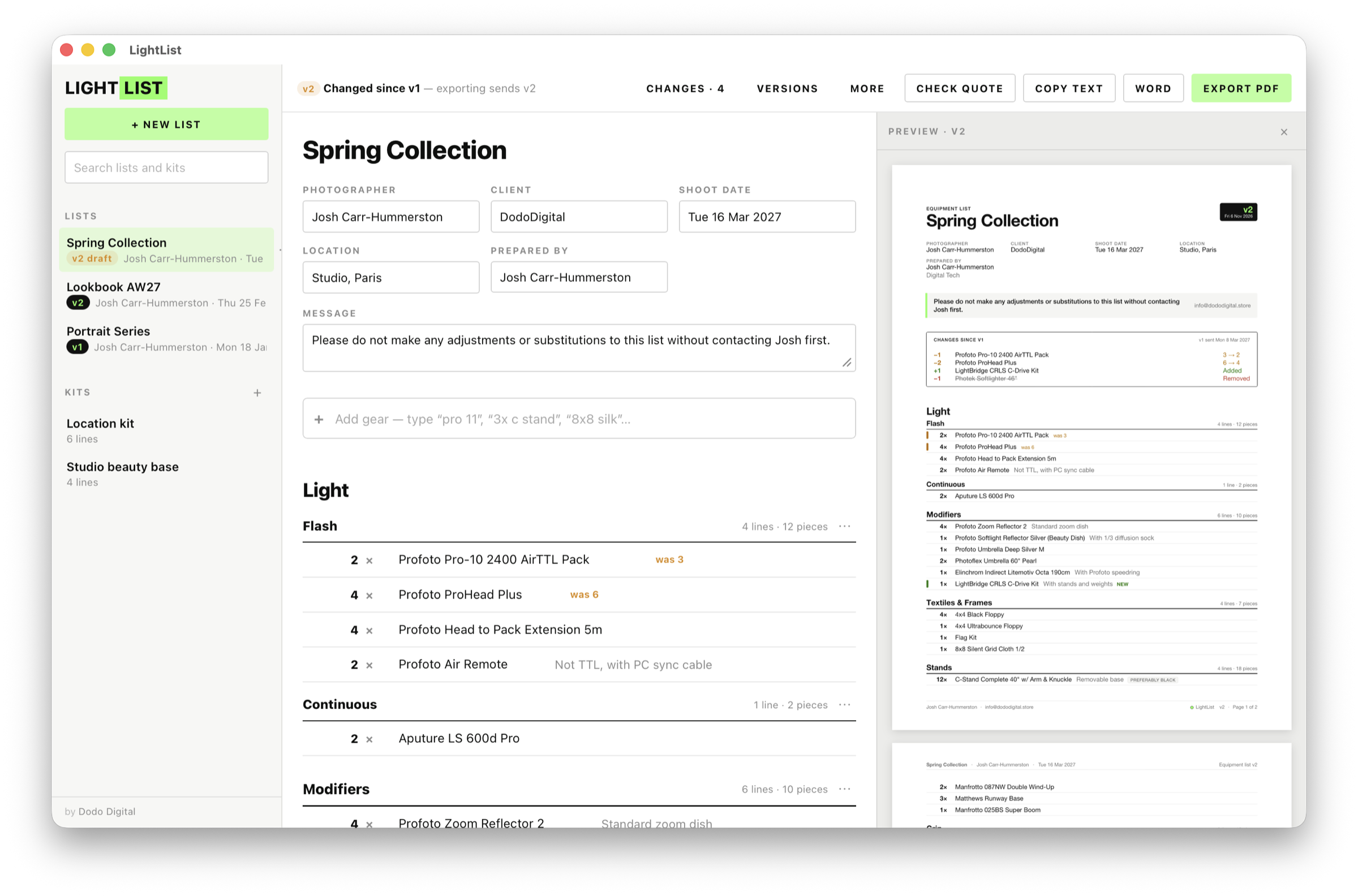
The LightList app window with an equipment list sorted into sections

Before you send

LightList helps you build professional and organised equipment lists. It turns the gear you type into a clean equipment list for the rental house or production — instead of a Word doc, an email or a WhatsApp message, with nicer formatting and predictive suggestions.

Every list you send is numbered — v1, v2, v3 — and each revision shows exactly what changed. When the quote comes back, LightList checks it for you.

What it does

Type it, it's in

Start typing — "pro 11", "8x8 silk", "3x c stand" — and press Enter. It knows 1,700+ items from the big rental catalogues, puts each one in the right section, and adds anything it doesn't know exactly as you wrote it.

Not in our catalogue? Let us know
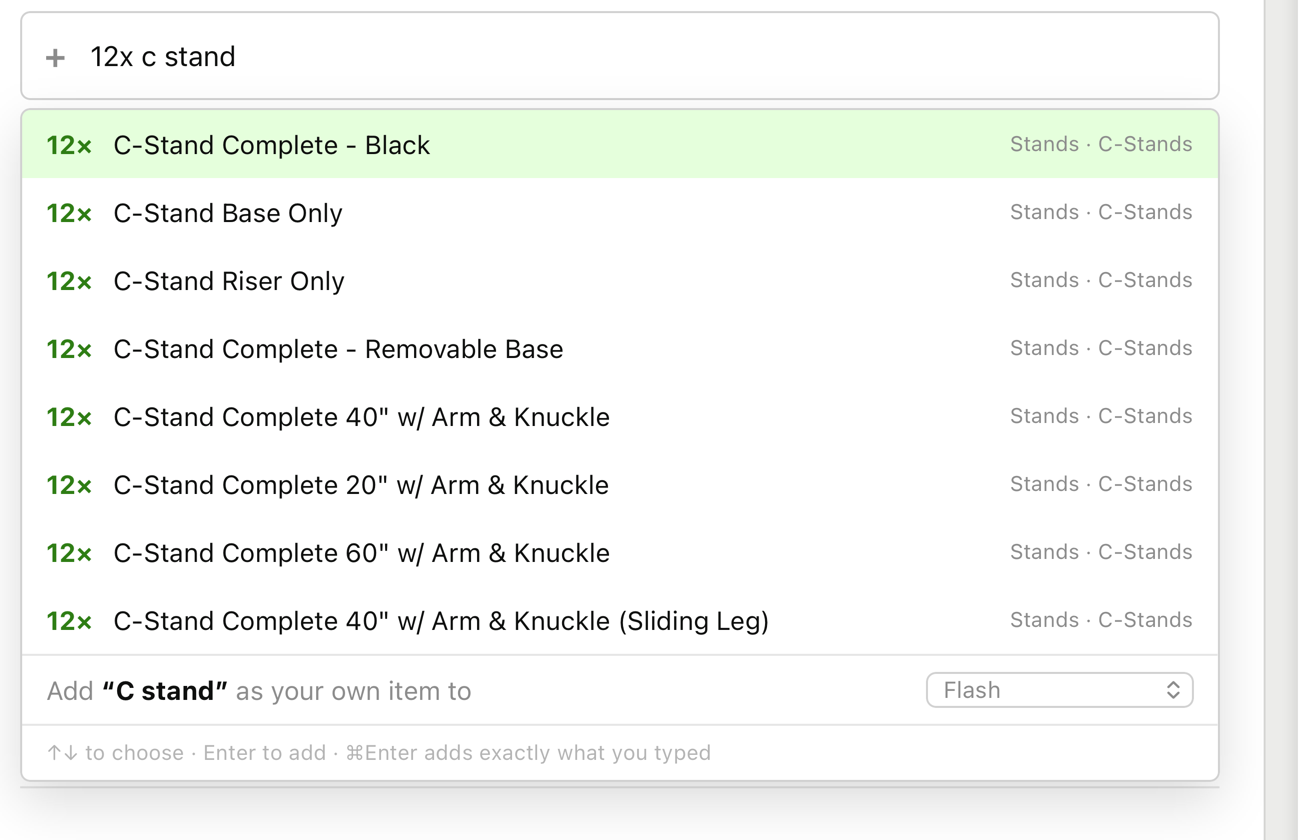
LightList search suggesting rental catalogue items as you type

It knows what goes with what

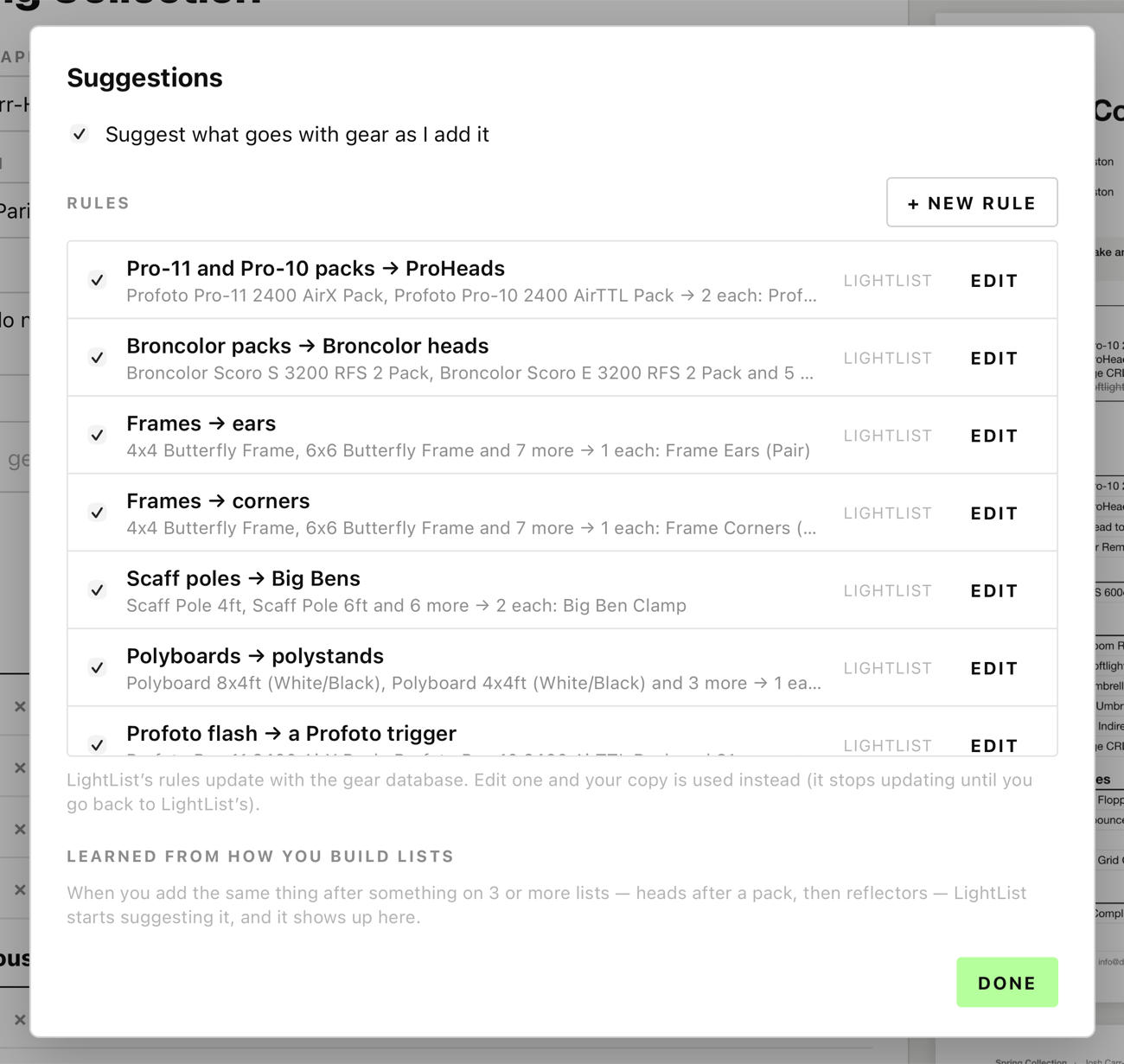
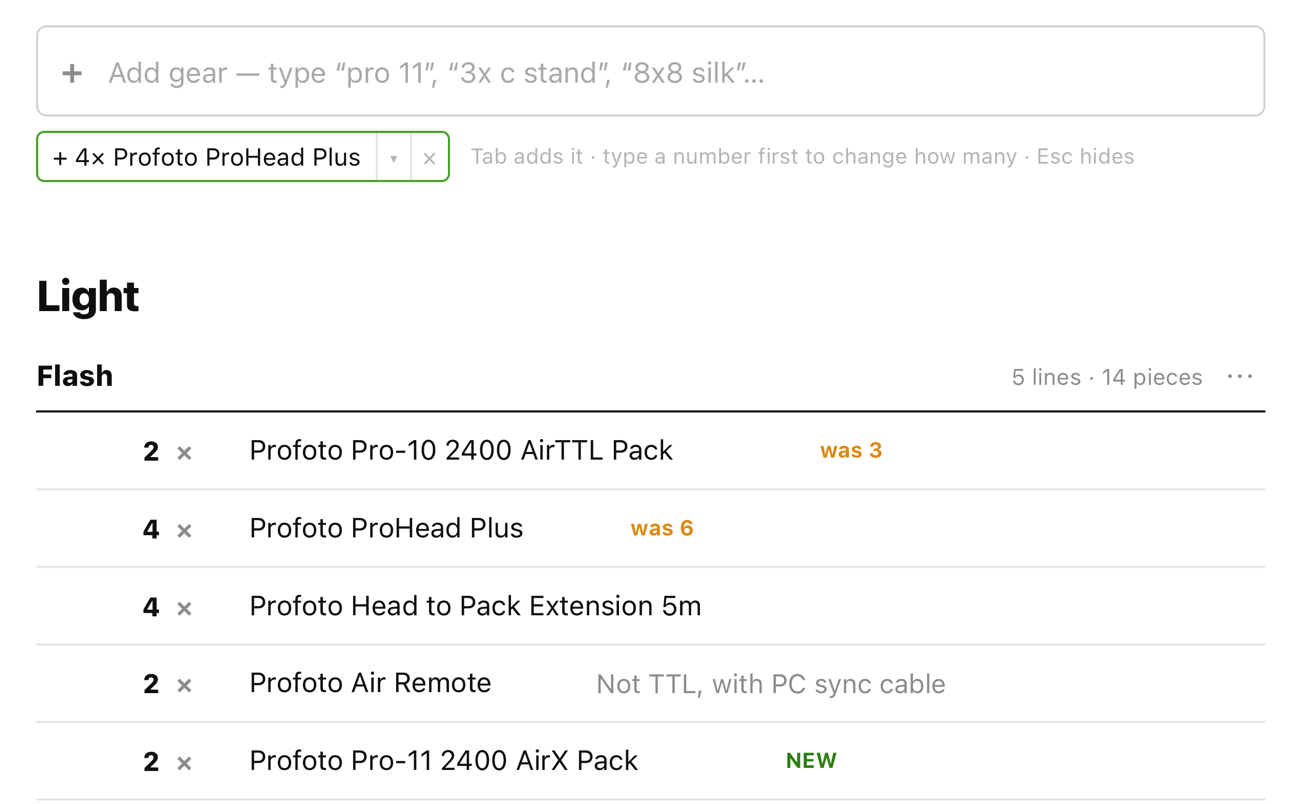
Add two Pro-11 packs and LightList offers the ProHeads. Add a frame and it offers the ears and corners; scaff poles get Big Bens, and flash gets a matching trigger. Press Tab to add it, or just keep typing. It counts what's already on the list, and it learns the order you build lists in.

LightList offering 4× Profoto ProHead Plus right after two Pro-11 packs are added

Your rules

Turn any suggestion off, change the quantities, or add your own — "whenever I add a B10, suggest two spare batteries". Your rules stay on your Mac.

The LightList Suggestions window: each rule with an on/off switch and Edit, and a New rule button

A list they'll actually read

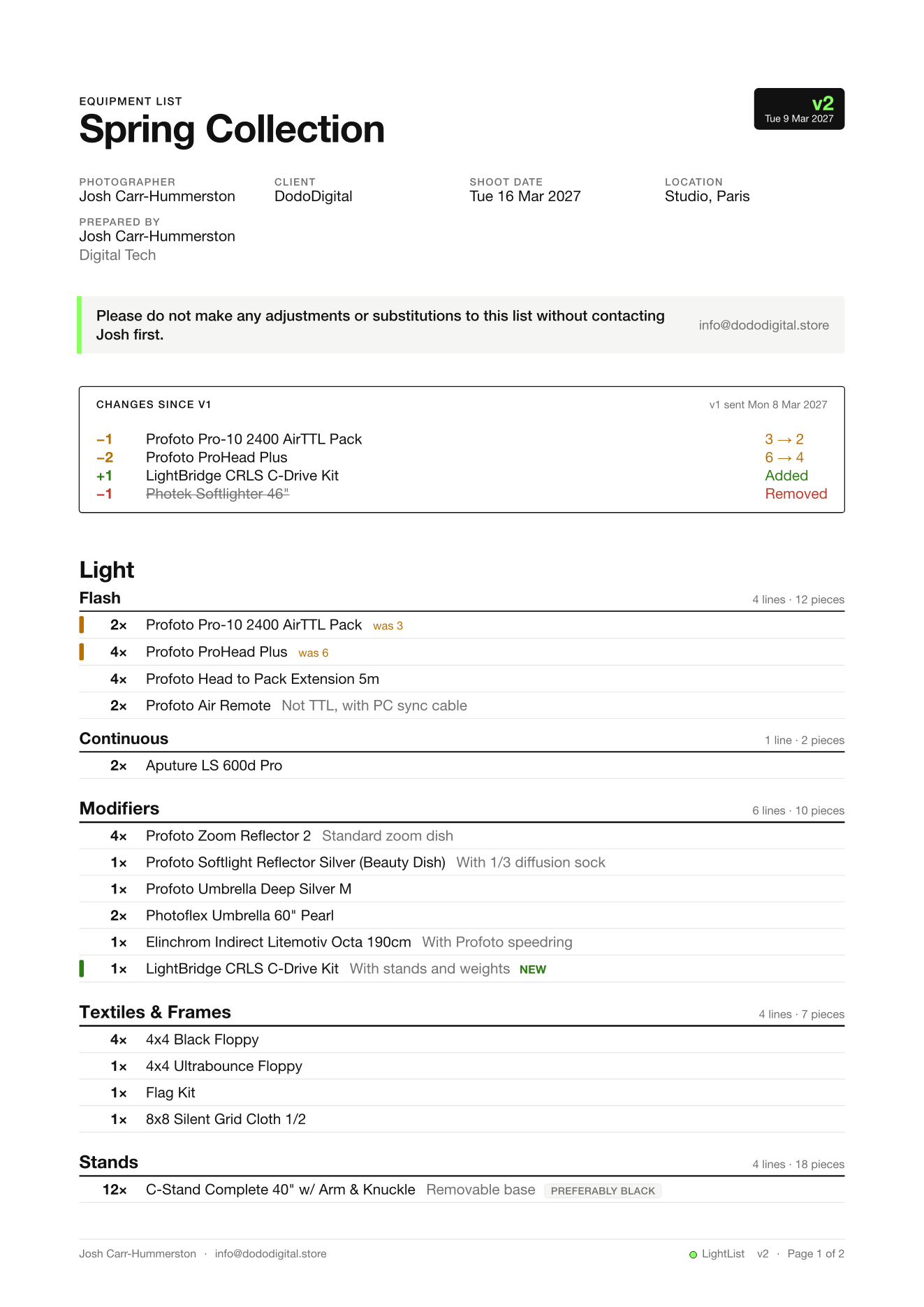
Sections, quantities, notes and tags like "Remove if studio provides", your contact details and page numbers on every page. Your logo if you want it, and your message at the top — such as "No substitutions without contacting me first". Export a PDF, a Word file, or copy it as text for WhatsApp or email.

See a sample list (PDF)
A LightList PDF equipment list page with sections and quantities

Revisions without the back-and-forth

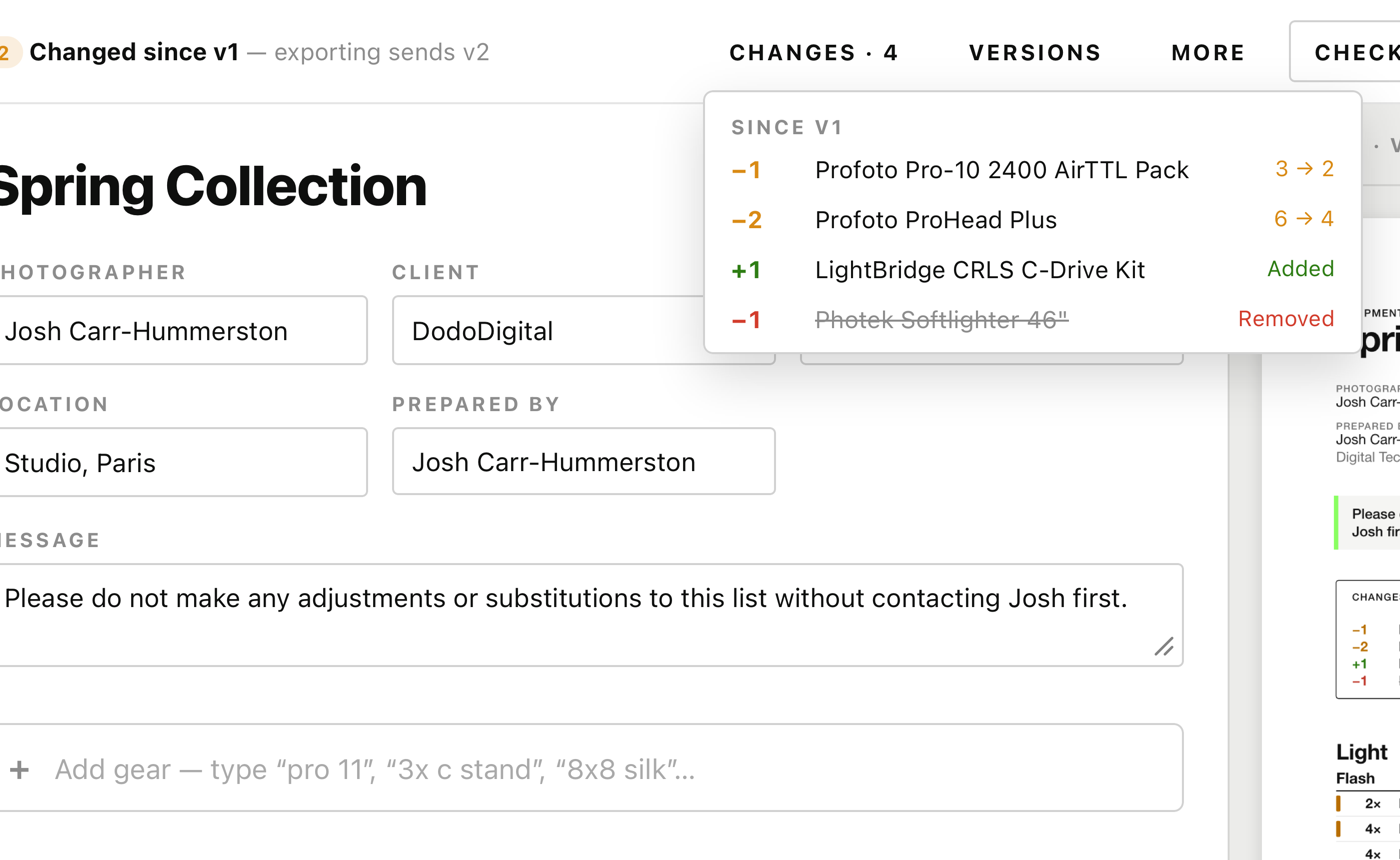
Change a sent list and it becomes the next version. The PDF opens with what changed since the last one, and you can compare with the original after a few rounds of budget cuts.

LightList showing what changed between list versions

Check the quote

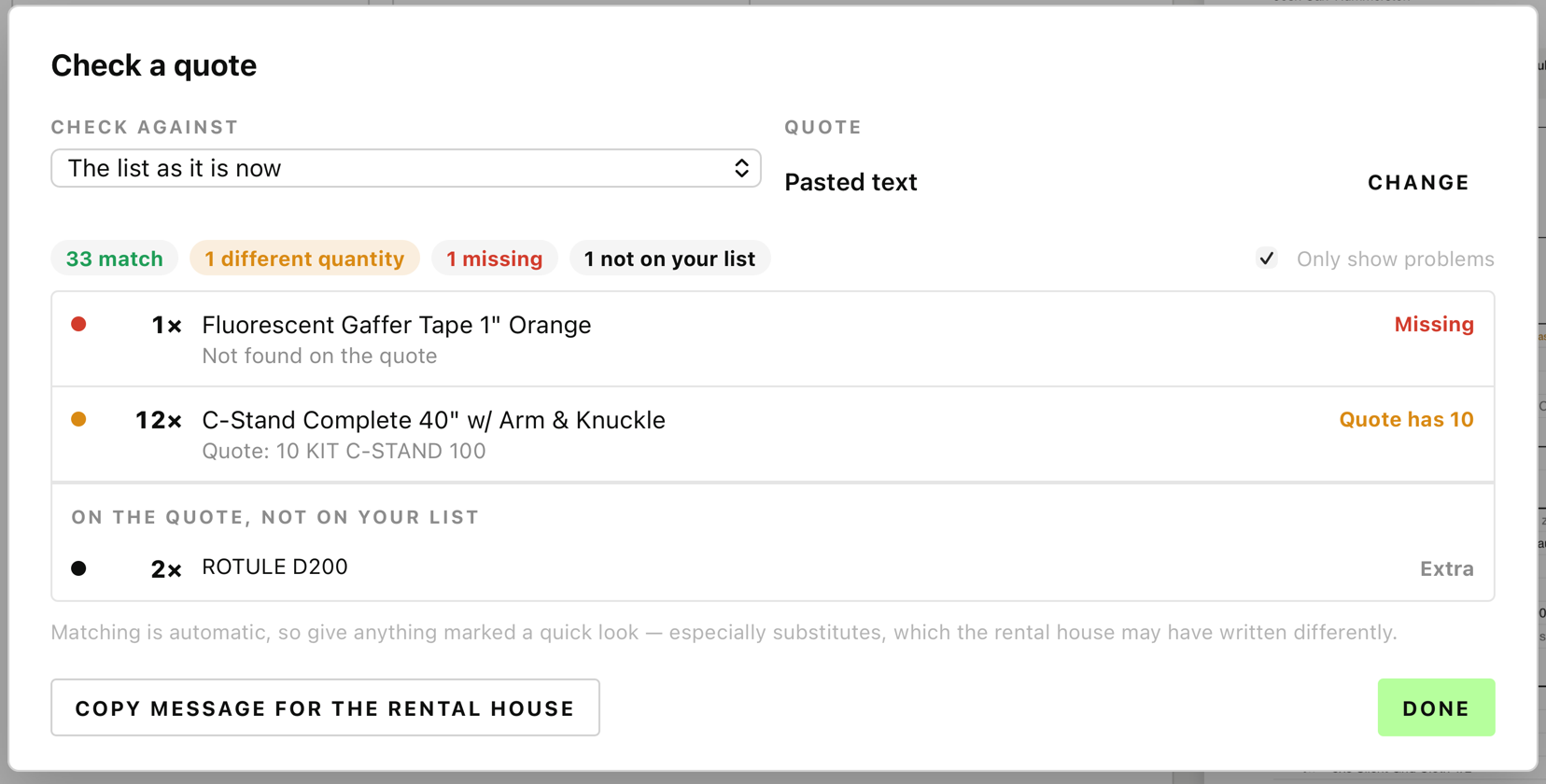
Drop in the quote or picking list the rental house sends back — PDF, Excel or Word, English or French. LightList shows what's missing, what has a different quantity, what's been substituted, and writes the reply for you.

LightList quote check listing missing, changed and substituted items

Bring your old lists

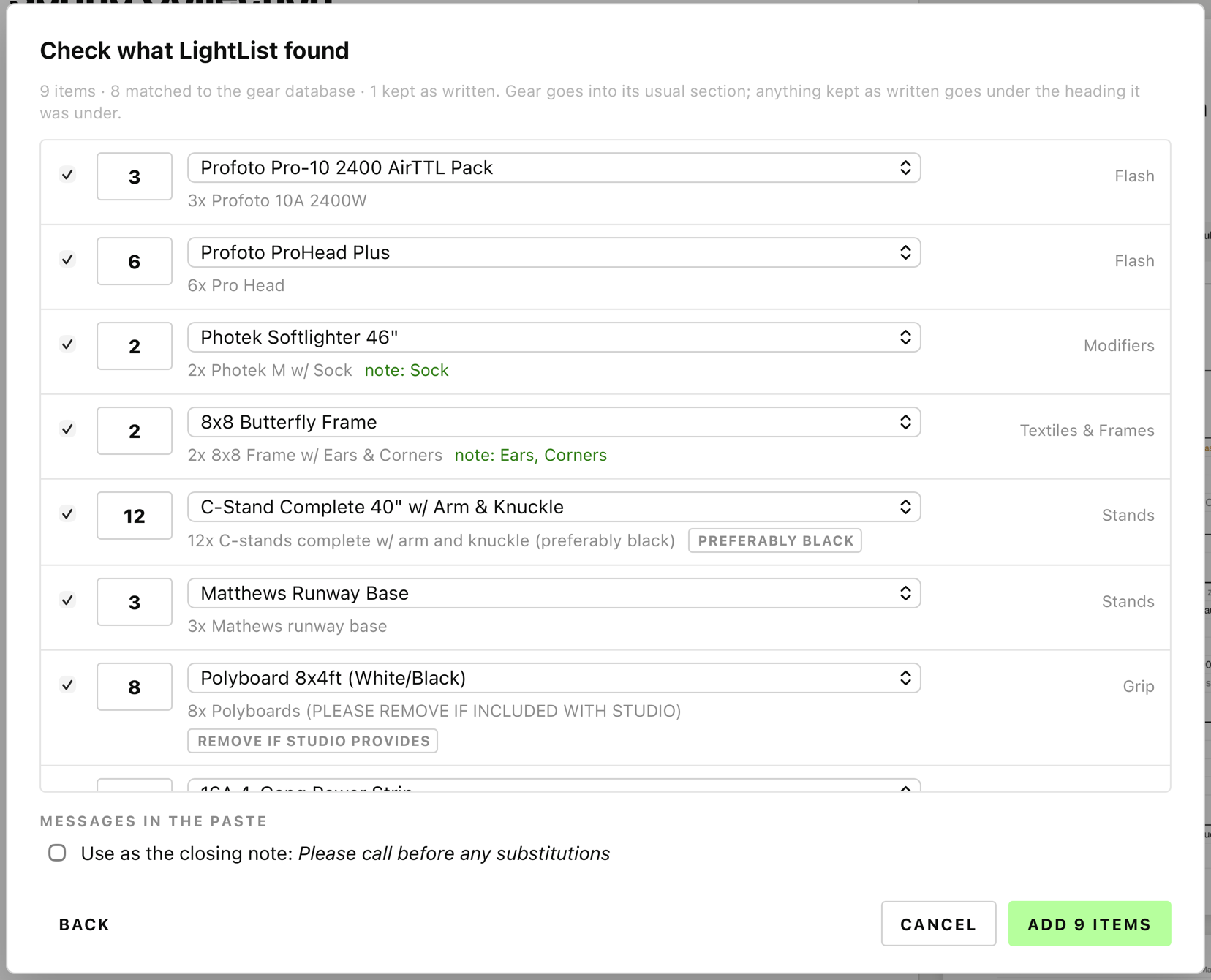
Paste a list from Word, an email or a PDF. LightList reads the quantities and headings, matches every line, and shows you what it found before anything is added.

LightList paste-in preview matching pasted lines to gear

Kits for the jobs you do every week

Save the kits you take every week — a location kit with scrims, swatters and a beach cart, a studio beauty base with your favourite beauty dish — and build a new list from one or more of them, tailored to the job.

On your Mac, iPhone and iPad

Get the free LightList app for iPhone and iPad from the App Store. Lists, kits, diagrams, studios and settings sync through iCloud — no account, nothing on our servers. Without iCloud, everything stays on the device.

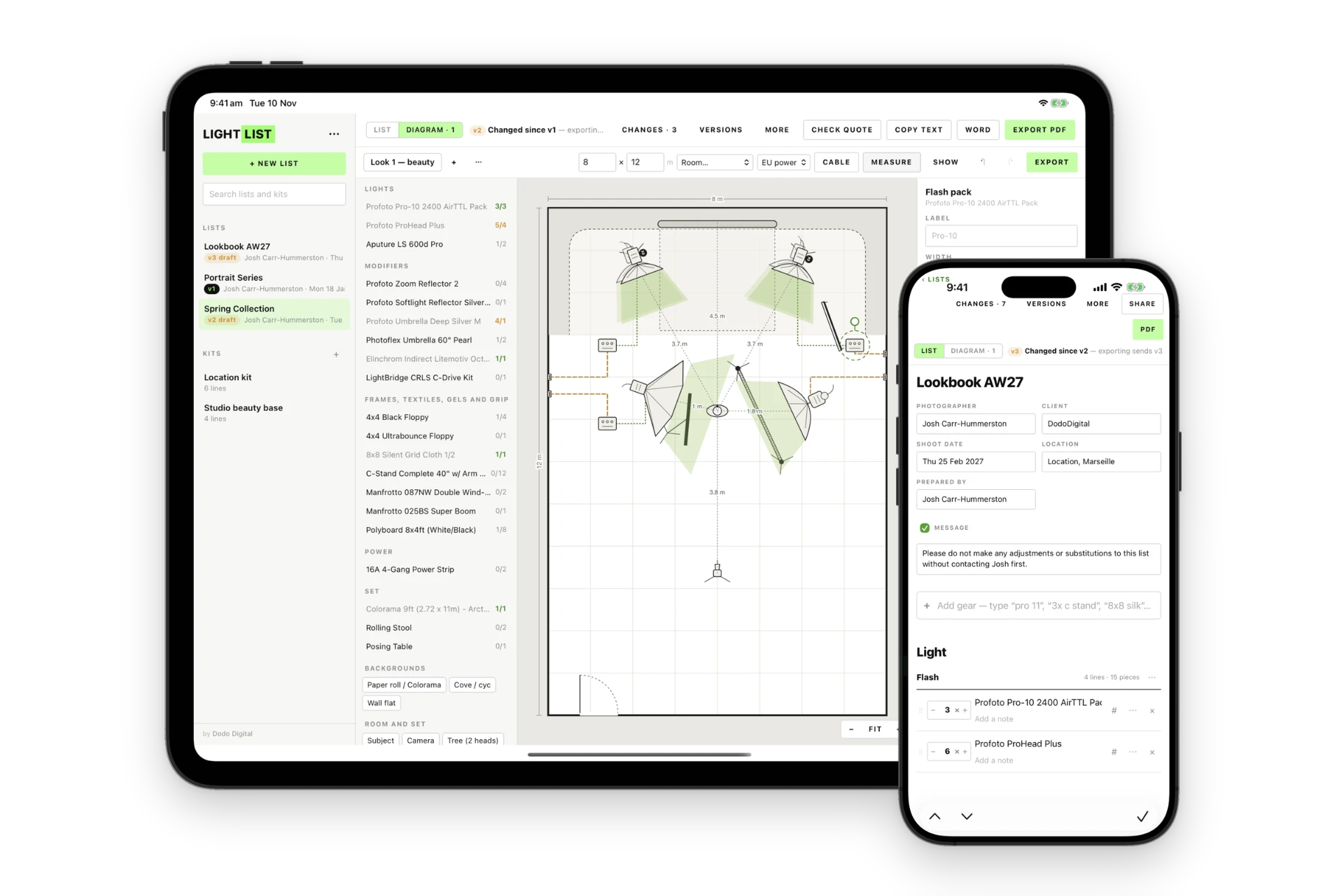
LightList running on an iPad and an iPhone: the iPad shows a lighting diagram of an 8 by 12 metre room with lights, distances and the list's gear down the side, and the iPhone shows the Lookbook AW27 equipment list with its details and Light section

What you get

  • Free — no licence, no trial
  • Updates itself
  • New gear added to the list without an app update
  • Free on iPhone and iPad too — your lists sync through iCloud, or stay on the device

System requirements

  • Mac

    Apple Silicon

  • macOS

    macOS 11 or later

  • iPhone and iPad

    iOS / iPadOS 16 or later, with the free LightList app from the App Store

  • Internet

    For new gear, updates and iCloud sync; lists and PDFs are made on your Mac

  • iCloud (optional)

    Signed in with iCloud Drive on, to sync lists, kits and diagrams between devices

Free, and it updates itself.

LightList Pro

Lighting diagrams

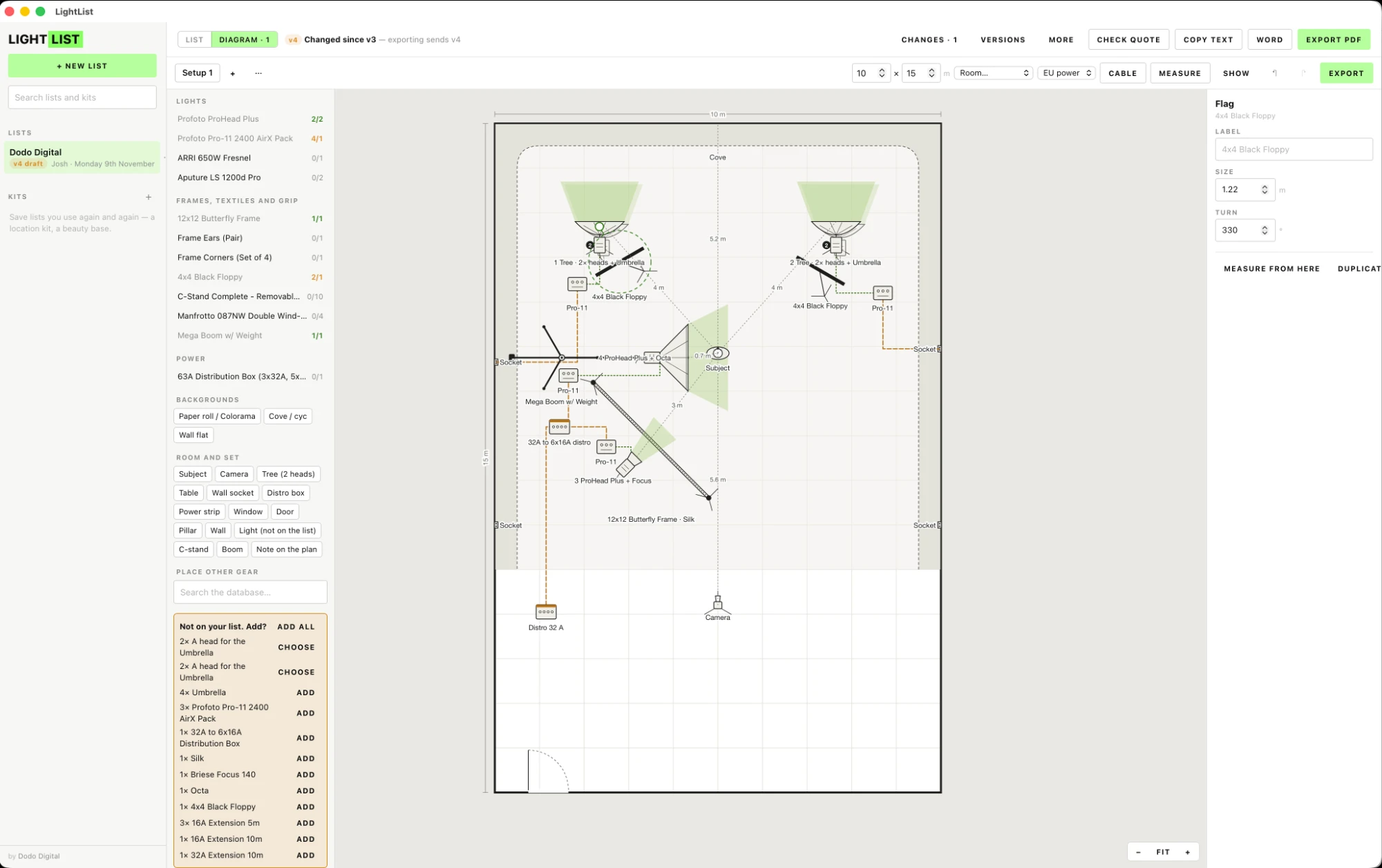
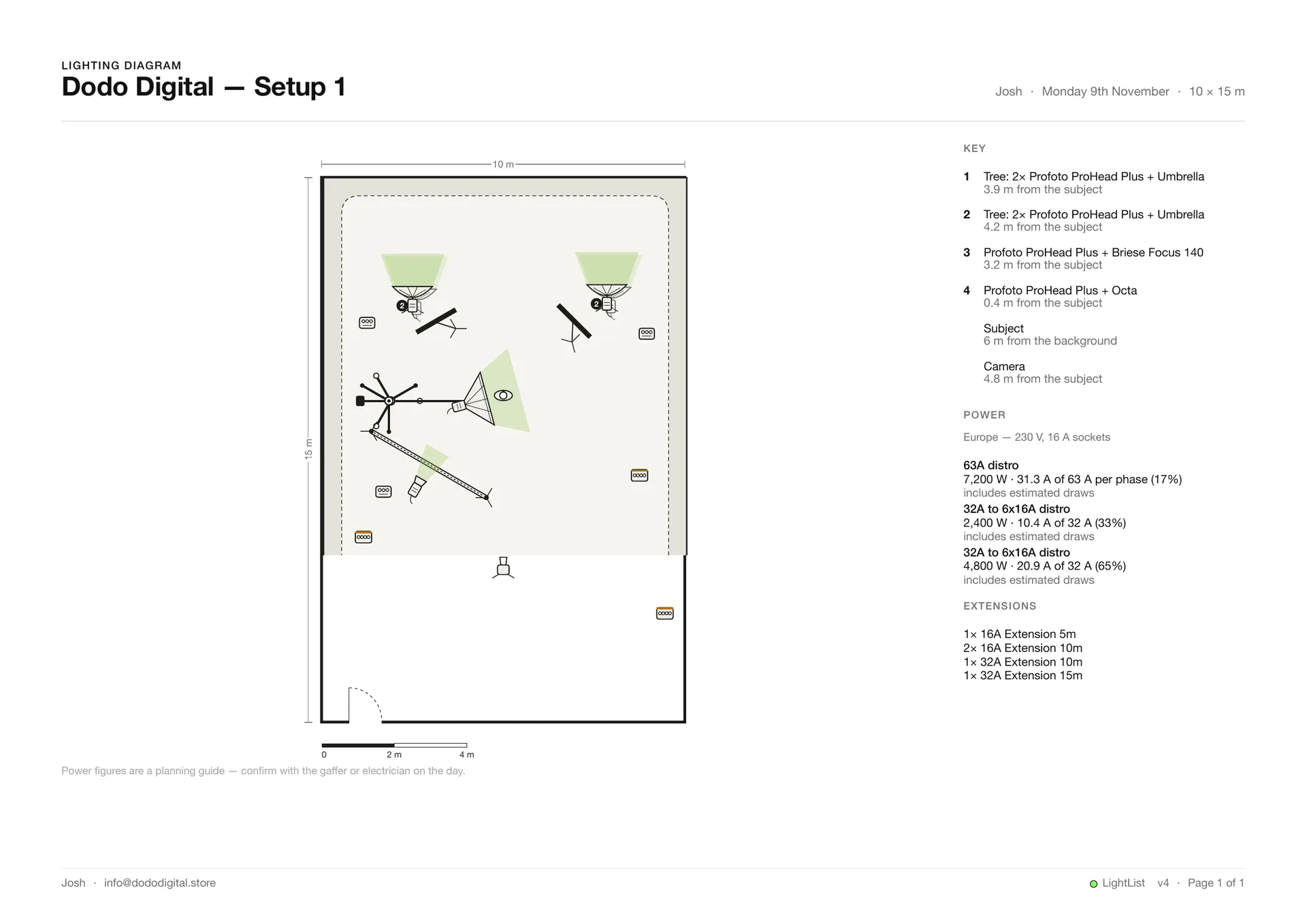
Using your list, plan the light — or record it on the day — on a top-down plan of the room, with your gear. Then send one PDF with the diagram and the list, or the list on its own. Keep a clean, organised archive of your equipment list, lighting diagram and job notes in one place.

The LightList Pro diagram editor on a Mac: a studio plan with a cove, lights on a tree and a boom, a 12x12 butterfly frame, power from wall sockets and a distro, and the list's gear down the side, with what isn't on the list yet ready to add

Your gear, to scale

Lights, modifiers, frames, fabrics, gels, polys, stands, booms and scaff from your list, at their real size.

Power and cables

Run the power from wall sockets or a distro: the load on each one, and the extensions you'll need.

Distances, heights and your own measurements

Distances to the subject, heights and angles, and your own measurements, in the key.

Nothing forgotten

Anything on the plan that isn't on the list shows up, ready to add.

Your studios, saved

Save the studios you work in, and start each setup in the right room.

The PDF you send

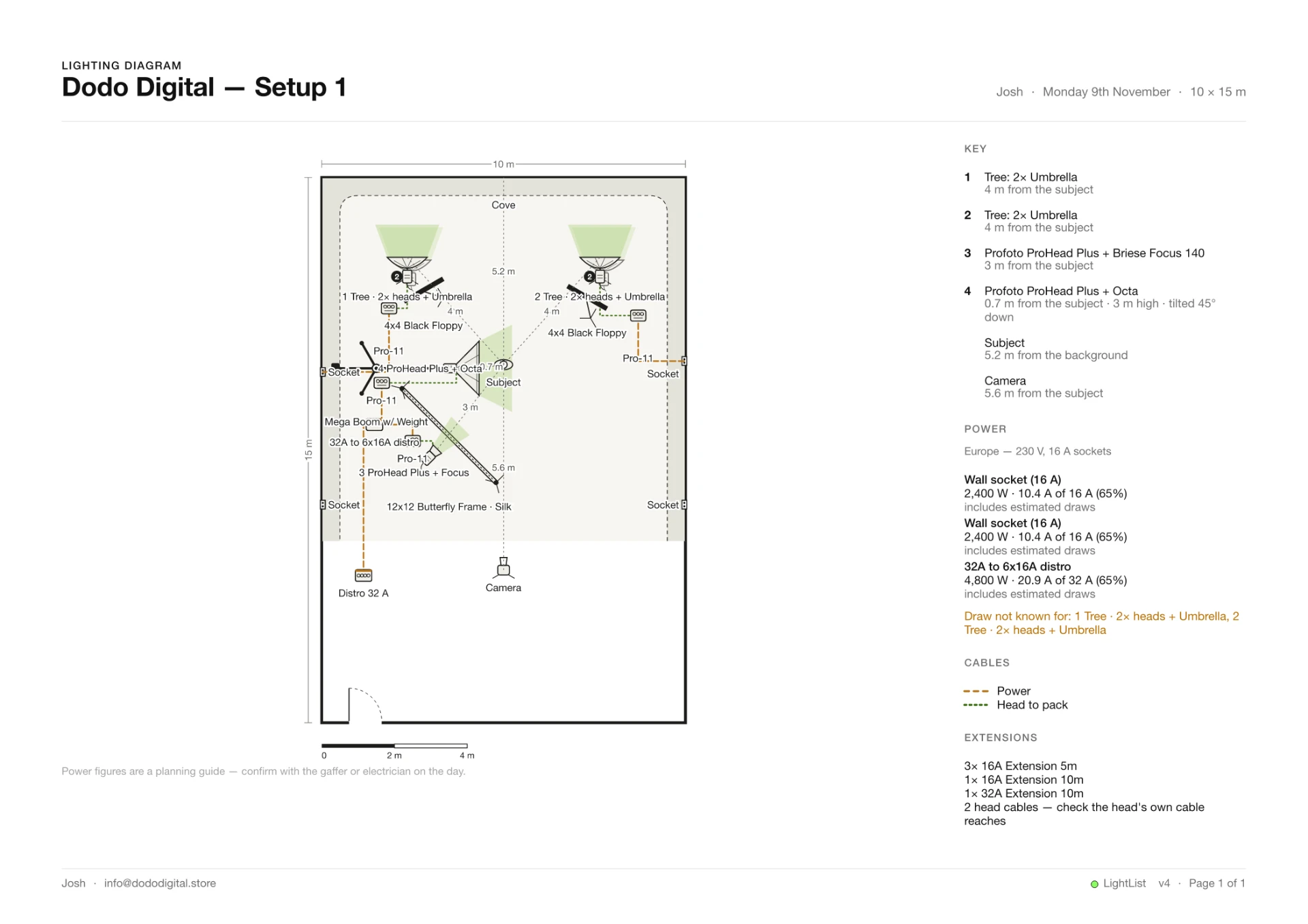
The diagram and its key on one page, the list on the next — or the list on its own, the way the rental house wants it.

Optional: include labels, measurements and cabling

The exported lighting diagram page with everything on: the top-down studio plan with each light named, distances marked in metres, wall sockets and the distro, dashed power and head-to-pack cables, and the key, power, cables and extensions down the side
The same exported lighting diagram page with the extras off: the top-down studio plan with no equipment labels, cable runs or per-item distances on it — just the room, its sockets and the light throw toward the subject — with the key, power and extensions down the side

What you get

  • €4.99 once — not a subscription
  • One purchase unlocks the diagrams on up to 3 devices — Mac, iPhone and iPad
  • Diagrams sync through iCloud with your lists
  • Buy on the website or inside the iPhone/iPad app — same €4.99; a website key works in the app too

Get LightList first (free) — Pro unlocks inside the app.

Also from Dodo Digital: Shotboard — storyboard and moodboard software for Mac

Also from Dodo Digital: LastCheck — free copy checking for Mac

Also from Dodo Digital: DodoView — your Mac's screen on every iPad on set